

How to Swap and Send Crypto Privately in 2026
Rubic Private Mode lets you swap crypto privately, or send the same asset to another wallet, without a visible onchain link between the two wallets. Private routes sit next to regular ones in the Rubic app, so you can compare what you’ll receive and how long it takes, then pay from a connected wallet or send the deposit manually.
Use a private route when you want to keep wallets separate, for example, when moving ETH trading profits into USDC in another wallet or funding a payment wallet without exposing your main holdings. If that separation doesn’t matter for the transaction, you can choose a regular route from the same interface.
There are three ways to use Private Mode:
- Private same chain swap: exchange one token for another on the same network, such as ETH to USDC on Ethereum, and receive it at a separate address.
- Private cross chain swap: exchange a token for one on another network, such as ETH to SOL or ETH to XMR, and receive it at a separate address.
- Private Transfer: send the same asset, such as USDT on Tron, to another wallet on the same network.
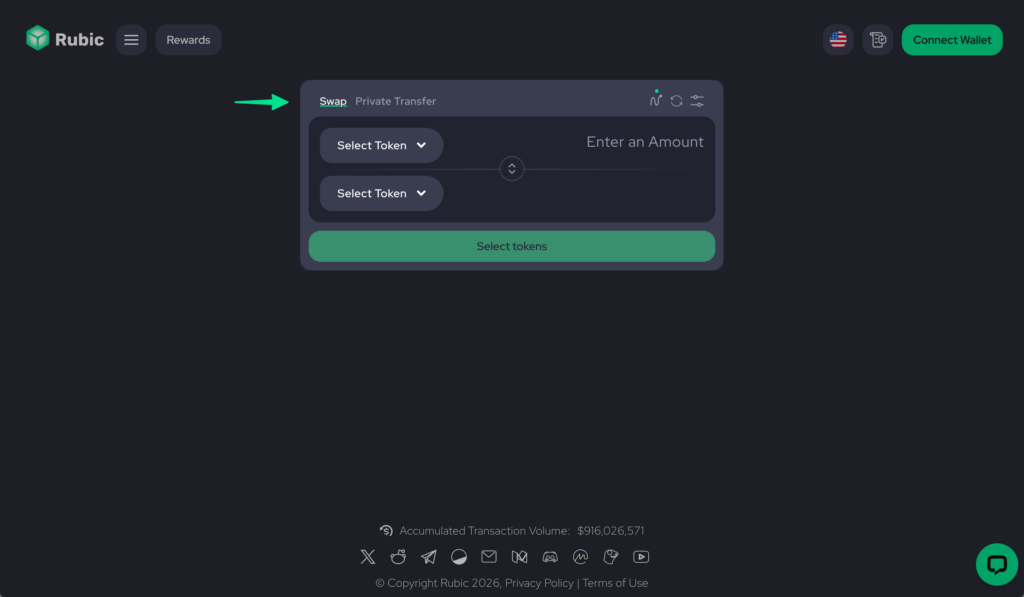
The first two use the Swap tab. The third has its own Private Transfer tab.
Rubic compares private routes from Houdini Swap, RocketX and ClearSwap, with more providers to come. You send your deposit to the provider you pick, and it pays out to your receiving wallet in a separate transaction. There’s nothing to shield and no separate interface to learn.
Make a Private Swap on Rubic
Open app.rubic.exchange and stay on the Swap tab. The steps are the same for same chain and cross chain swaps.
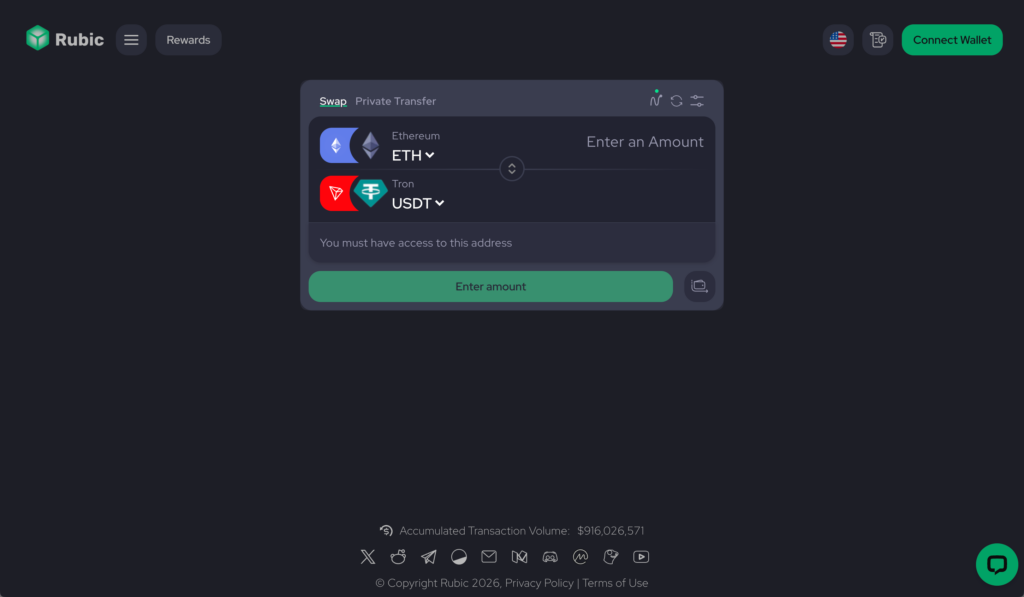
1. Choose Your Pair
Pick what to send and what to receive, with a network on each side, for example, ETH on Ethereum and USDT on Tron. Enter an amount to see the available routes.
2. Find the Private Label
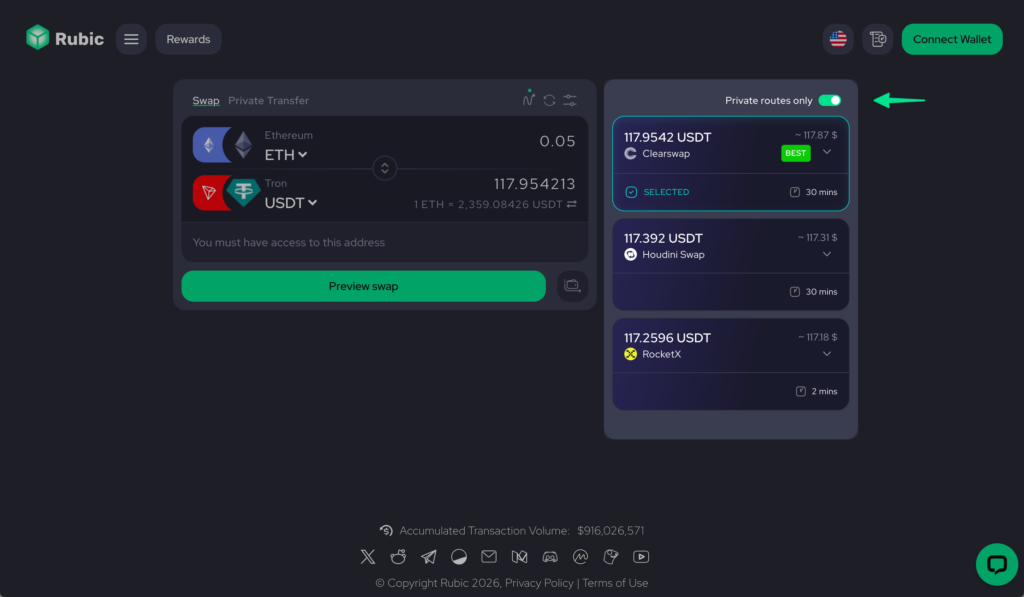
Private routes carry a Private label next to the regular ones. Compare the amount you’ll receive and the estimated time.
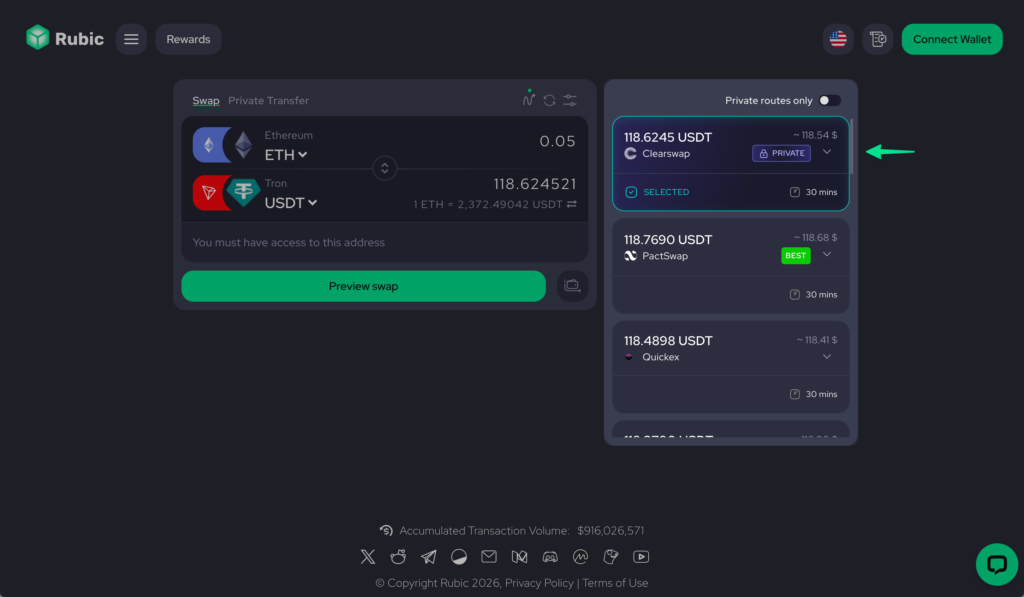
3. Compare Private Routes
Switch on Private routes only to see private quotes alone. Pick a route, then click Preview swap.
4. Choose Use Wallet
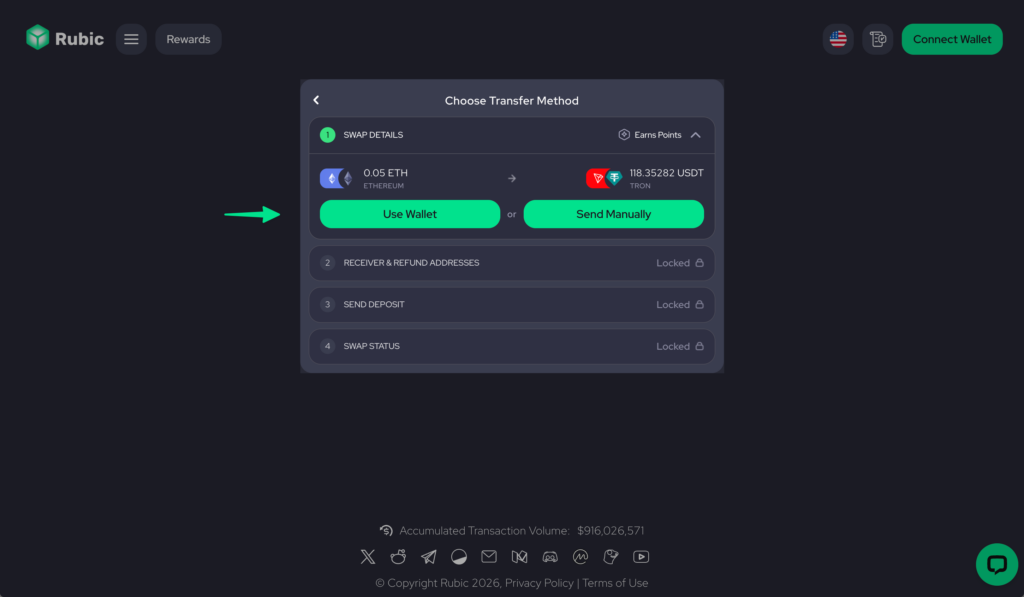
Select Use Wallet and connect your wallet. If you don’t see Use Wallet, go to step 7.
5. Enter Your Addresses
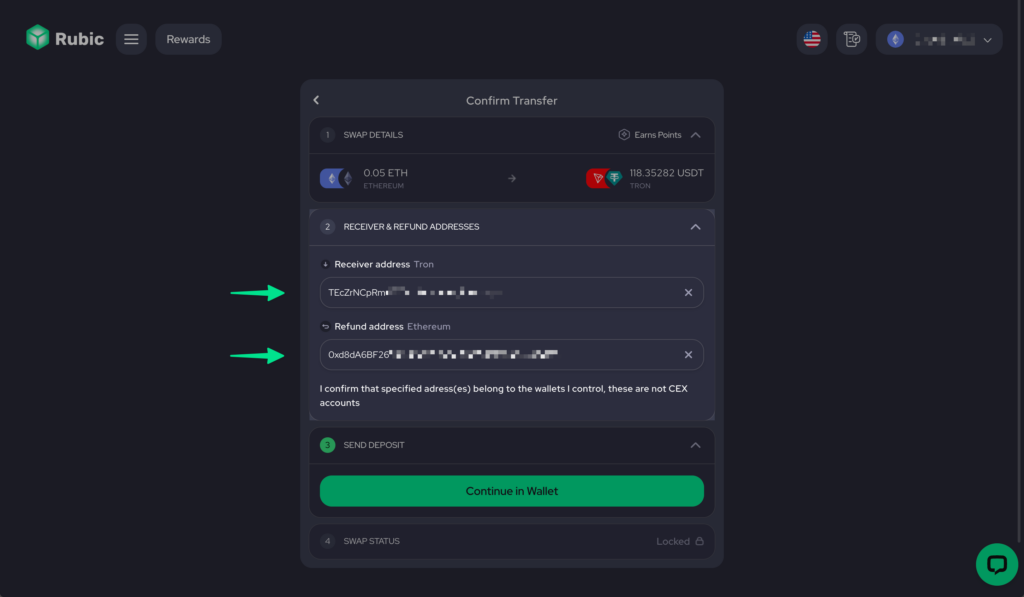
Add a receiver address on the destination network and a refund address on the sending network. Confirm that you control both and that neither is an exchange account, then click Continue in Wallet and approve the deposit.
6. Check Your Swap Status
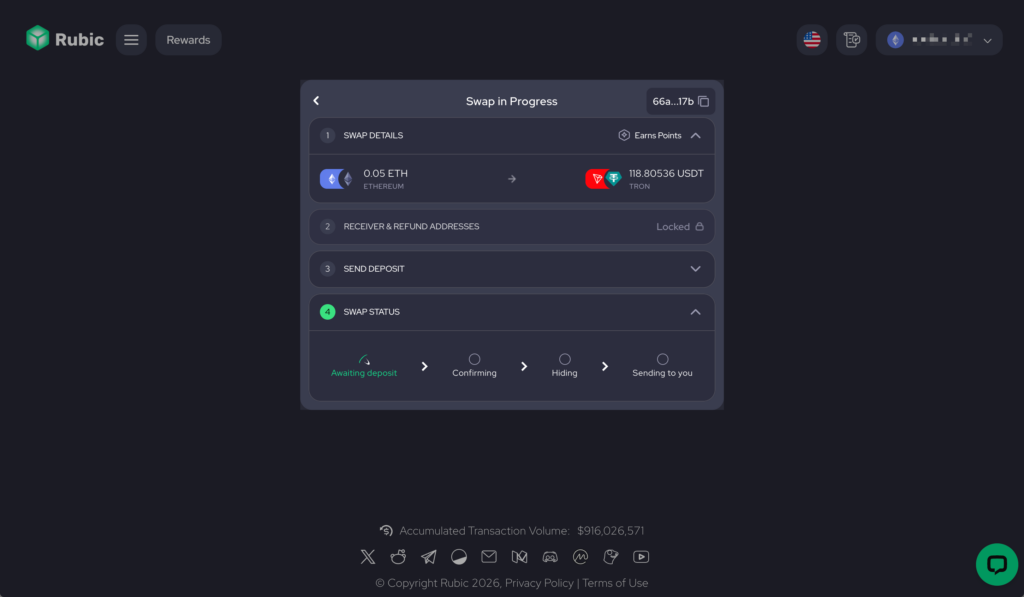
Swap status moves through Awaiting deposit, Confirming, Hiding and Sending to you. When it finishes, open the payout transaction link to see the funds arrive.
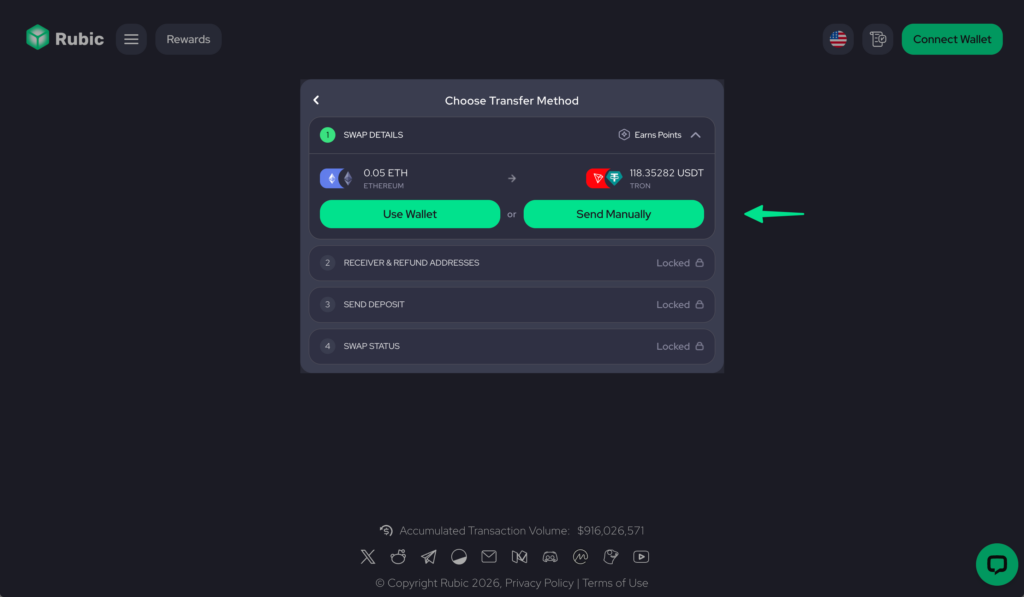
7. Or Choose Send Manually
Select Send Manually and enter your receiver and refund addresses. If a route has no Use Wallet option, Rubic opens this form directly.
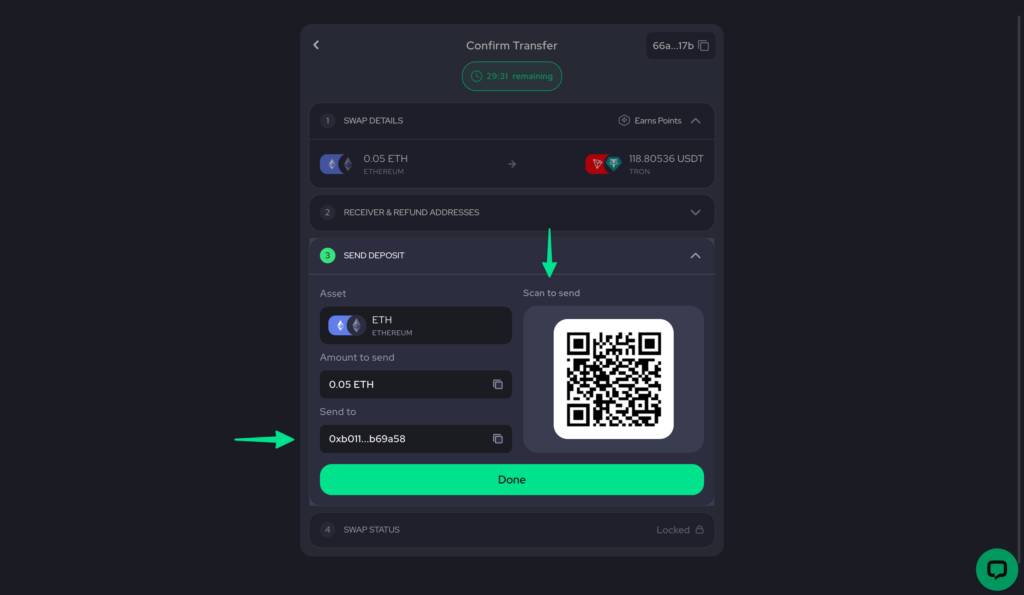
8. Send the Deposit
Send the exact amount shown to the deposit address, or scan the QR code with your mobile wallet. A countdown timer runs, so send before it ends. Then check Swap status until the payout arrives.
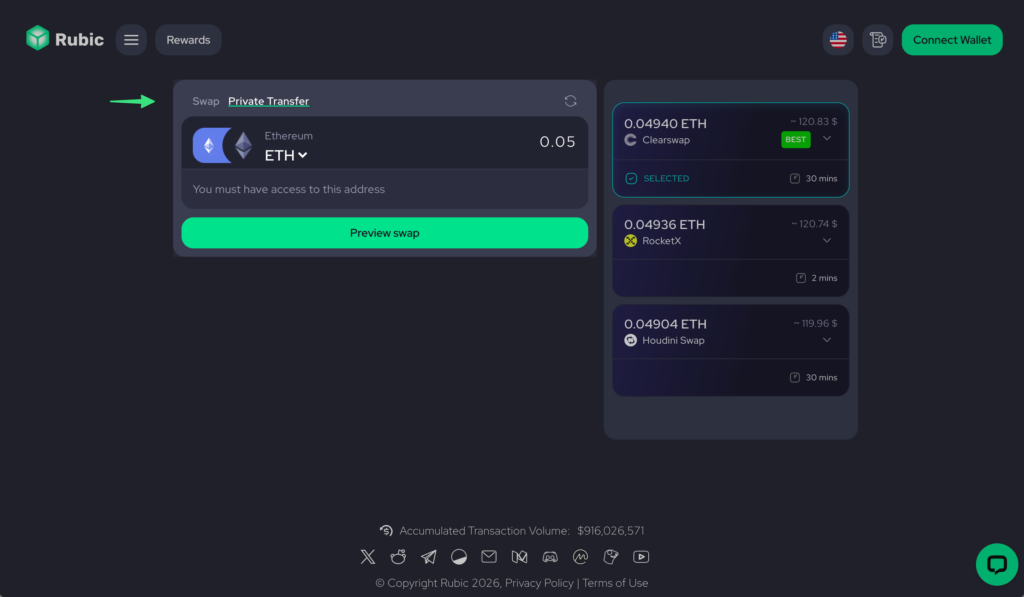
Send the Same Asset with Private Transfer
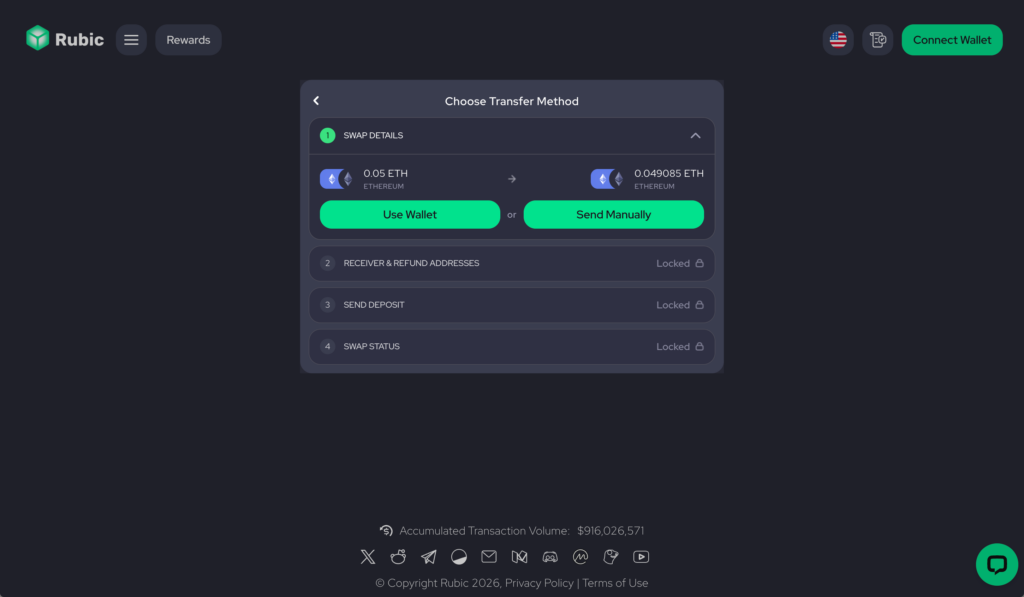
Choose Private Transfer to move an asset to another wallet without changing it. The provider pays out to the receiving wallet in a separate transaction, so the incoming transfer doesn’t point back to your sending wallet. You pick one asset instead of a pair, and the deposit steps match a private swap.
1. Choose Your Asset
Open Private Transfer, pick the token and network, and enter your amount.
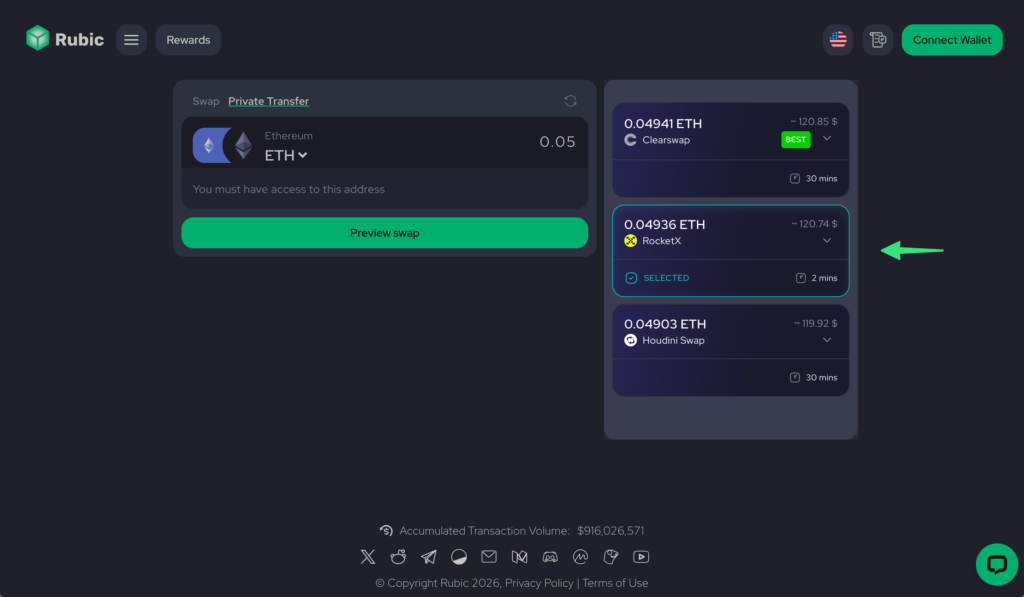
2. Pick a Provider
Compare the quoted payout and estimated time, choose a provider, and click Preview swap. This tab shows only private routes.
3. Choose How to Send
Select Use Wallet or Send Manually, then follow steps 4 to 8 above: addresses, deposit, and Swap status.
Open Rubic to compare private swap routes, or choose Private Transfer to send the asset you already hold.
FAQ
Why Don’t I See Use Wallet?
Use Wallet works only on supported networks. When a route doesn’t support it, Rubic opens the Send Manually form instead. You can still pay from your own wallet without connecting it to Rubic.
What Is the Refund Address For?
It’s where the provider returns your deposit if a refund is needed. Use an address you control on the sending network, even if the payout goes to another network.
Which Wallet Should I Use to Receive the Funds?
Use a self custody wallet with no public history with the sending wallet. Avoid exchange deposit addresses: Rubic asks you to confirm that both addresses are yours and not exchange accounts.
Does Private Transfer Deliver Exactly the Amount I Send?
No. You receive the same asset, but route costs reduce the amount. In one example quote, 0.05 ETH arrived as about 0.049 ETH. Check the quoted payout before you confirm.
How Long Does a Private Swap or Transfer Take?
Each provider’s quote shows an estimate. In the examples above it ranged from 2 to 30 minutes. After you send the deposit, Swap status shows the progress.
Does Breaking the Visible Onchain Link Make the Transaction Anonymous?
No. The provider handles both the deposit and the payout, so it can see how they connect. Earlier wallet links, matching amounts or timing, and later direct transfers between the wallets can also reveal the connection. Private Mode doesn’t erase your existing history.
Last Verified: 20 October 2026

Marketing specialist with 5+ years of experience and a deep understanding of crypto, AI, market narratives, and industry insights.