
Rubic’s Private Mode: A User’s Guide
Rubic Private was designed to unify fragmented privacy tools into a single platform. In this guide, you’ll discover how to use Rubic Private, and how aggregated privacy solutions differ from each other.
The First Privacy Aggregator
Rubic’s Private Mode currently integrates Railgun, Zama, Houdini, Privacy Cash, Hinkal Protocol, ClearSwapwith more to come.
Each of them relies on its own technology. Some route through CEXs, others are fully decentralized. Execution times can be surprisingly different. One swap might take two minutes, another up to an hour. Fees vary again by protocol. And of course, each solution only supports certain tokens and networks.
Trying to compare all of this manually is exhausting. That’s exactly why we aggregate it. On Rubic, you don’t need to juggle tabs or second-guess every route, cost, or limitation.
The interface? Familiar, if you’ve used Rubic before. Do you know how we find the best rates for regular swaps? Now we do the same, but for privacy.
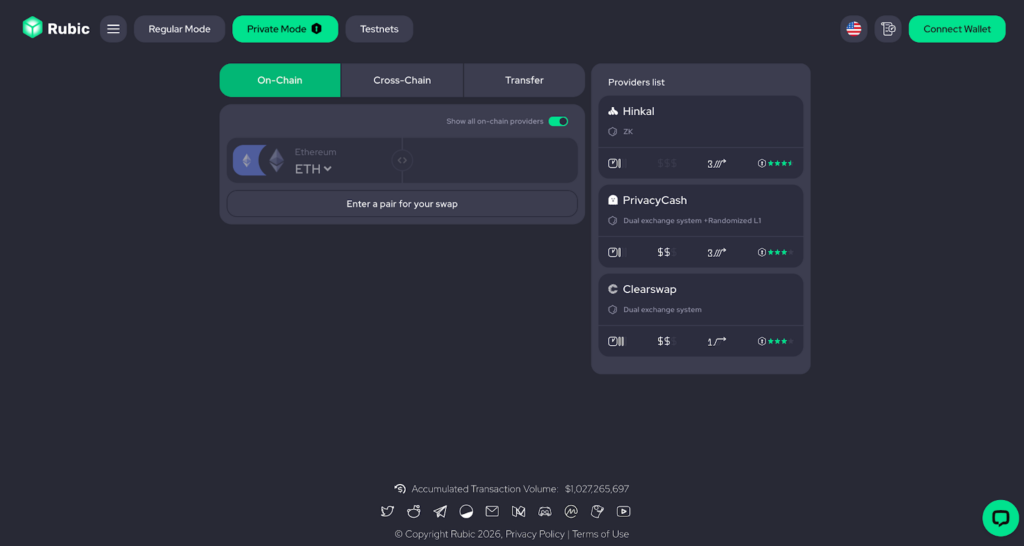
In the provider list, you’ll see all the essential info: the technology behind each tool, level of privacy, average cost, and average swap time. It’s all there, clean and simple. No more wandering across the private tools market trying to figure it out. Now, one app does it all. And yes, it’s Rubic.
What’s the Difference?
The point of Rubic Private Mode isn’t just convenience, it’s transparency. Everything varies between solutions. Speed, fees, compliance, underlying tech, seeing it side by side helps you choose wisely.
Here’s a quick breakdown:
We’ve brought various privacy solutions together in one place, so you can choose what matters most: speed, privacy, or cost.
| Hinkal | Privacy Cash | Houdini | |
| Technology | ZK Protocol | ZK Protocol | CEX pools interact with a randomly selected Layer 1 token which acts as a privacy layer severing any connection between them |
| Use-cases | Private on-chain swaps, transfers, shield/ unshield | Private on-shain swaps, transfers, shield/ unshield | Private cross-chain swaps (on-chain swaps and transfers to be added) |
| Chains | Base, Polygon, Optimism, Ethereum, Arbitrum, Solana (soon) | Solana | 120+ EVM-chains |
| Average Swap Time | Up to 5 minutes | Up to 5 minutes | Up to 20 minutes |
| Fees | – ~0.03% for private transfers – No swap/ shileding fees | – 0.35% of the withdrawal amount- 0.01 SOL network and rent fee- Jupiter Swap fees | ~0.8% for a private swap |
| Compliance Pillars | OFAC complianceProtocol-Level Integrity (KYT) Selective Disclosure & Auditability Verified Privacy (zkTLS & Proof of Ownership) | AML/ATF checks. | OFAC compliance mechanisms”Proof of Innocence” (POI) |
| Limitations | From $10,000 – KYC is required and handled on Hinkal’s side. | Swaps may get stuck in ephemeral wallets. Private on-chain swaps only with native token (min $10). Transfers only to public addresses (like unshielding). Shield tokens instantly (~6 supported). Unshield instantly (min $2). | Works like a deposit to a CEX + withdrawal from a CEX, so it’s not fully decentralized. $2.55B in total swap volume – one of the leading solutions in privacy. |
| Zama | ClearSwap | Railgun | |
| Technology | FHE | Dual Exchange System via semi-centralized provider + Randomized L1 | zkSNARKS |
| Use-cases | Transfers, shield/ unshield | Private on-chain swaps, Transfers | Private on-chain swaps), transfers, shield/ unshield |
| Chains | Ethereum | TRON | Ethereum, Polygon, BNB Chain, and Arbitrum |
| Average Swap Time | Up to 5 minutes | 20-40 minutes | Shielding can take up to 1 hour |
| Fees | No Fees | Up to 0.25% | – Shielding and unshielding incur 0.25% fees. – No swap and transfer fees |
| Compliance Pillars | Selective Disclosure Observer Access Risk Scoring Social graph | Customer Identification Procedure AML Compliance Officer Monitoring of Transactions Risk Management | OFAC compliance mechanisms “Proof of Innocence” (POI) |
| Limitations | Only transfers, shielding, and unshielding are supported. | Only on-chain swaps on TRONMinimum amount: ~$33, maximum amount: $700,000 | Shielding can take up to 1 hour. |
User Flow
Here’s how it works:
- Go to Rubic’s Private Mode: https://app.rubic.exchange/privacy
- Choose your action from the menu above: on-chain swap, cross-chain swap, or transfer.
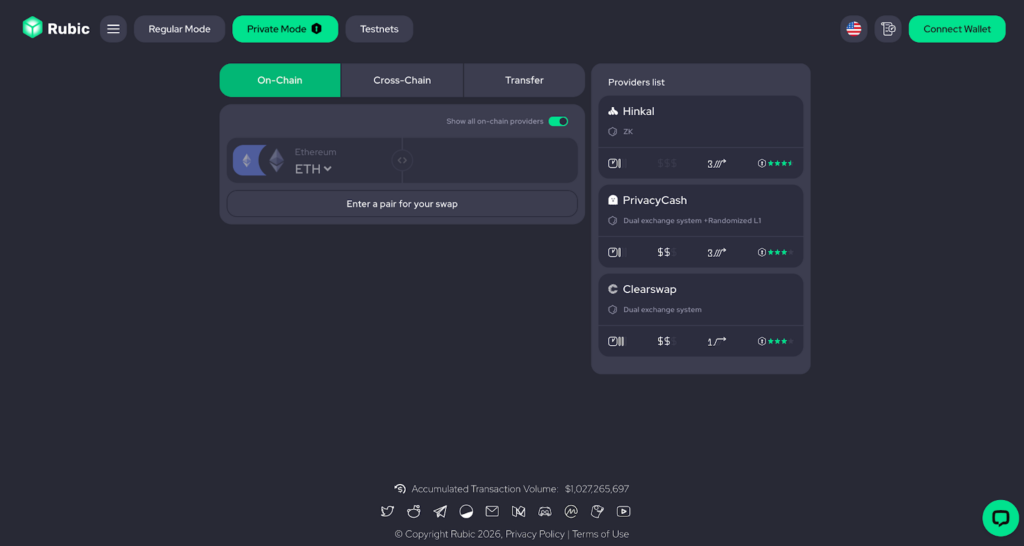
- Choose the source chain and token, then pick your destination chain and token.
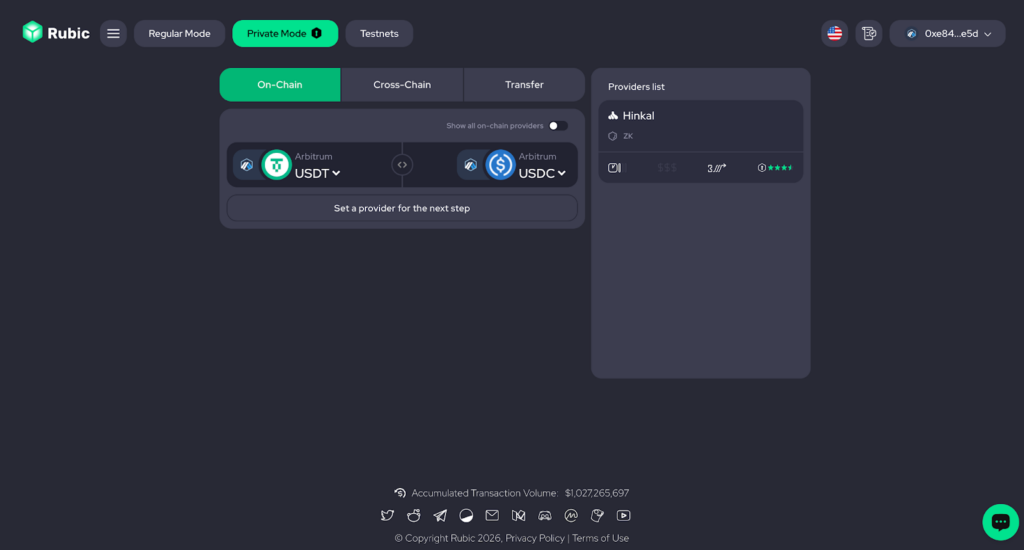
- Once the tokens and chains are set, Rubic will show the providers available for your swap. Based on whether your swap is on-chain or cross-chain, you’ll see a different set of providers.
No need to go hunting for a private app that supports your exact swap. We did that for you.
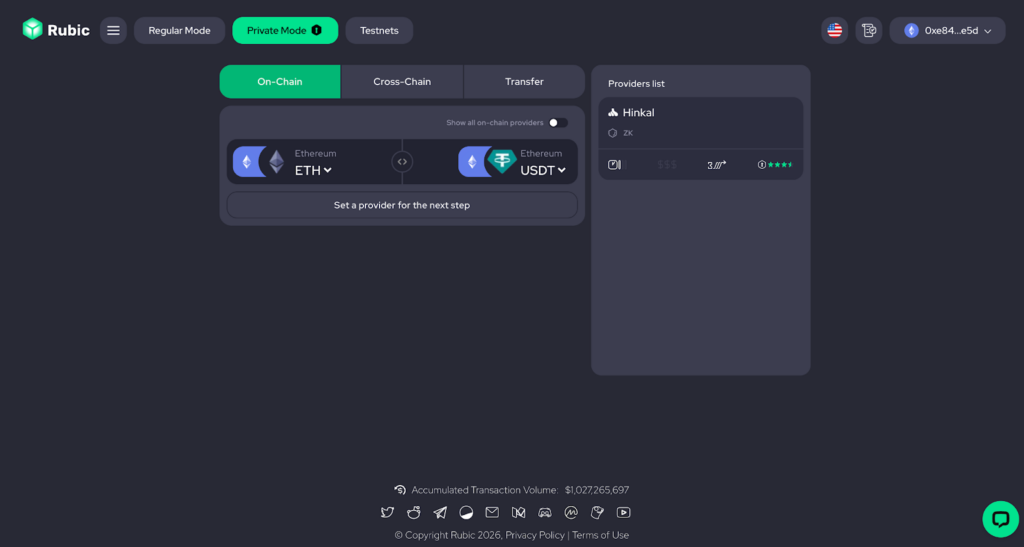
- Pick a provider based on what matters to you: speed, cost, or the underlying technology. All the info you need is displayed, so you can make a choice without overthinking.
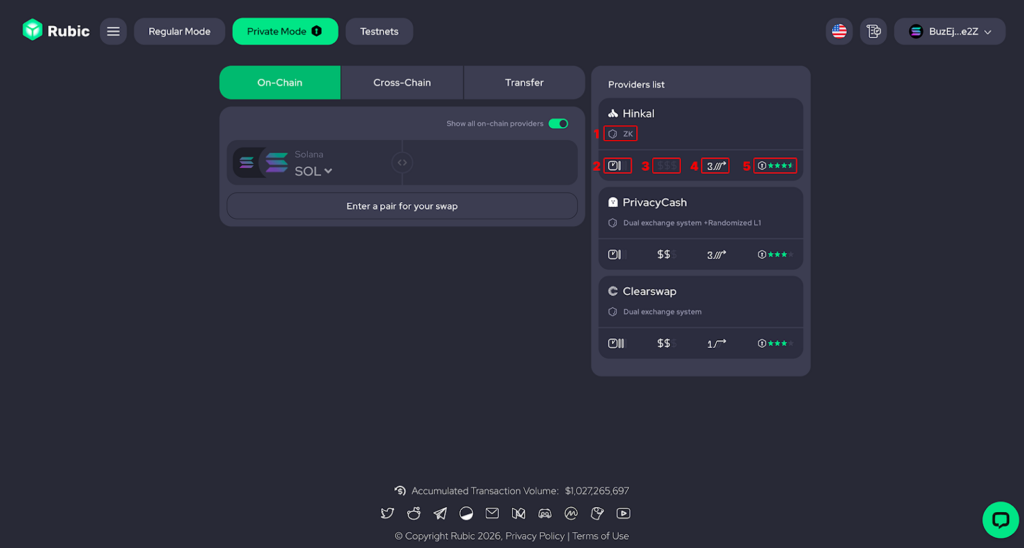
Here’s the list of criteria we provide:
- Technology: The underlying technology that makes the solution private. For more details, check out our Privacy Market Overview.
- Time: How long the swap may take. For example, if the scale has three levels, the target action could take up to 1 hour.
- Fees: The cost of the action. More highlighted dollars indicate higher fees.
- Steps to target action: Some providers require extra steps before your swap, such as signing a message in your wallet or shielding tokens. Others let you swap directly. This shows how many actions you need to take before completing the target swap.
- This privacy metric is based on data from the Web3Privacy Explorer: https://explorer.web3privacy.info/
Once you select a provider, you’ll enter that provider’s interface. Let’s take a closer look at each one.
Houdini: Cross-Chains Swaps
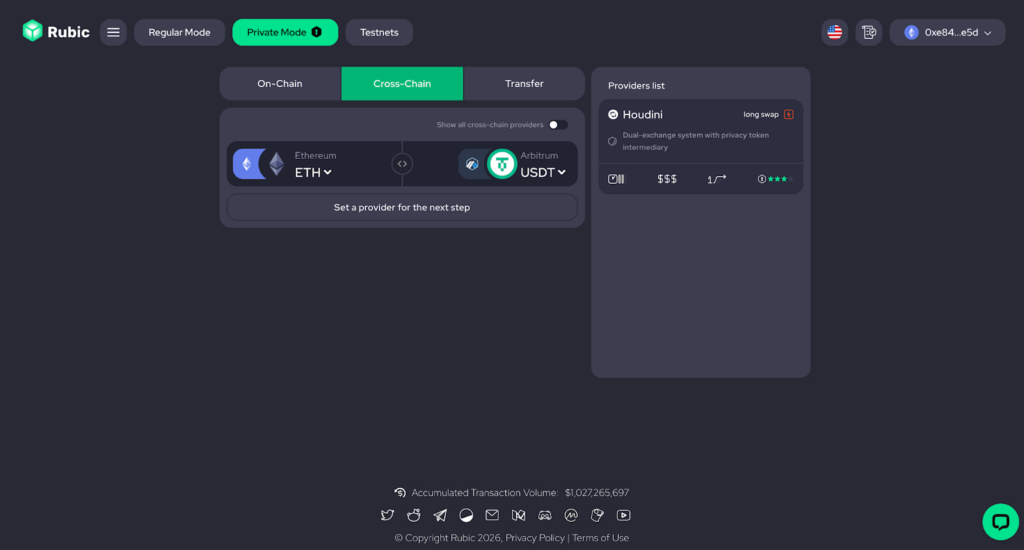
- Once you’re redirected to the Houdini swap form, enter the amount.
- Enter the receiver’s EVM address.
- Preview the swap and proceed.
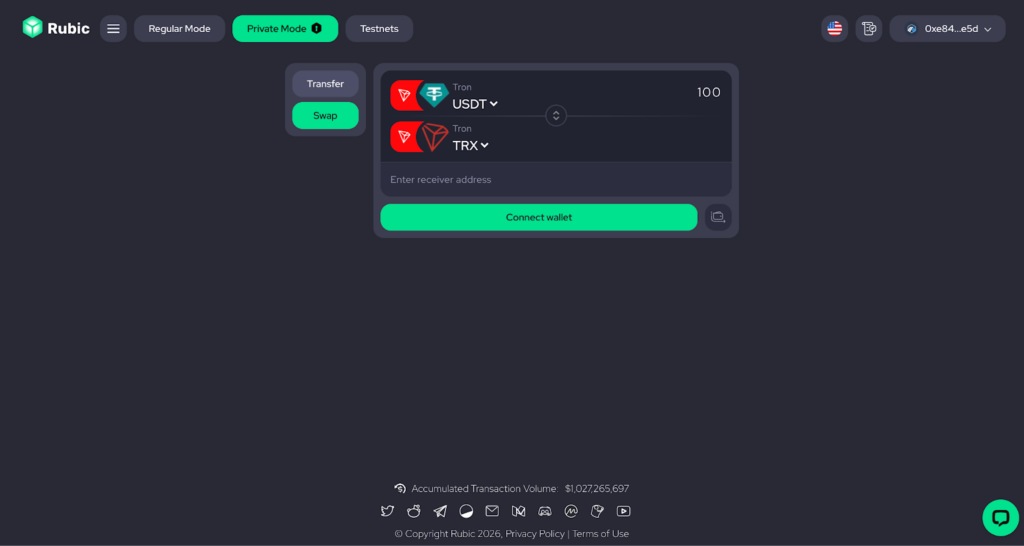
ClearSwap: Transfer, On-Chain Swaps
- If your swap is on TRON, you’ll see the ClearSwap option.
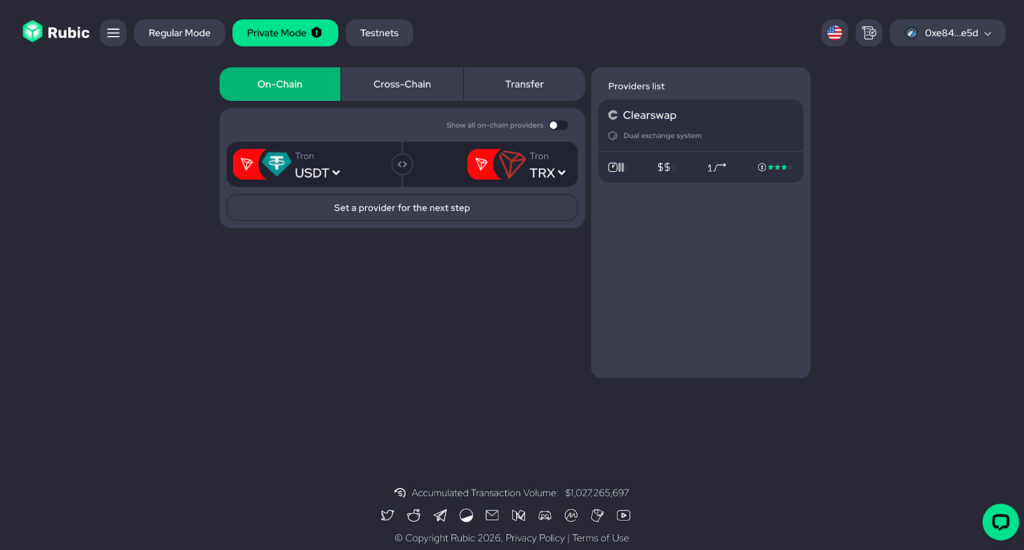
- To transfer tokens, choose tokens and follow hints to complete
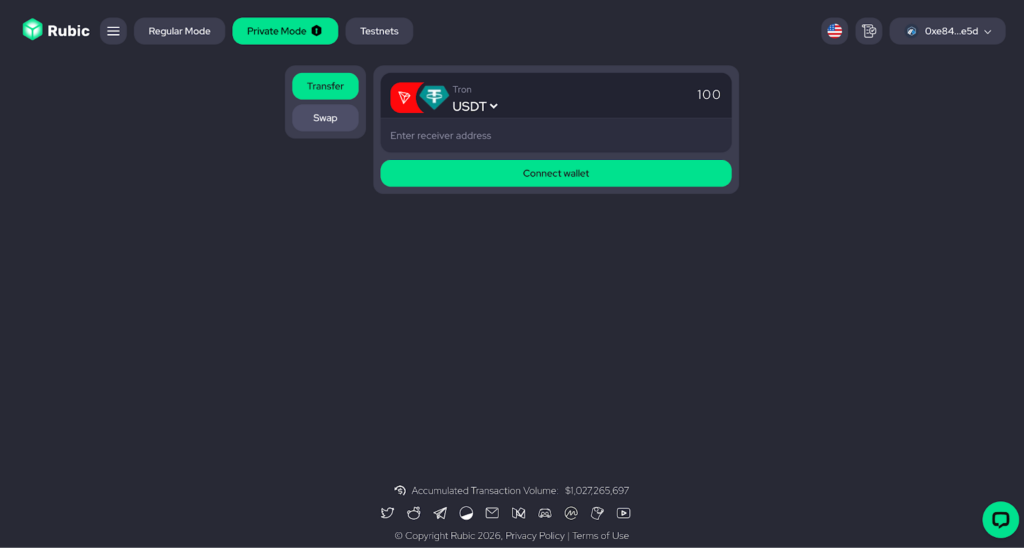
- To swap tokens choose desired tokens, preview swap and proceed
Hinkal: Shield, Unshield, Transfer, On-Chain Swaps
You’ve chosen Hinkal Protocol, here’s what happens next:
- Connect your wallet and sign a message to access your private balance.
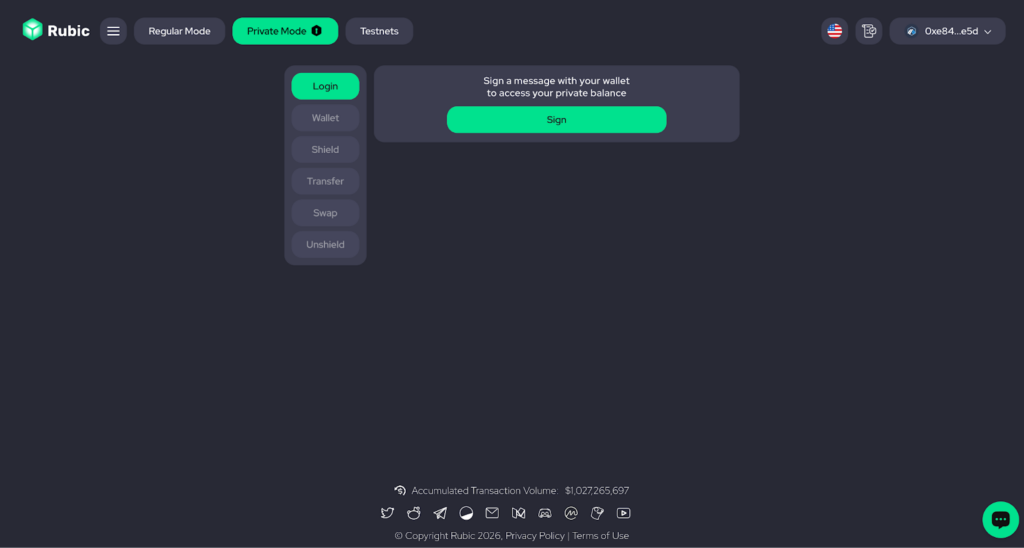
- You’ll then unlock Stealth Wallet (you can use it as a receiver address for transfers), Shielding/Unshielding, Private Transfer, and Private Swap.
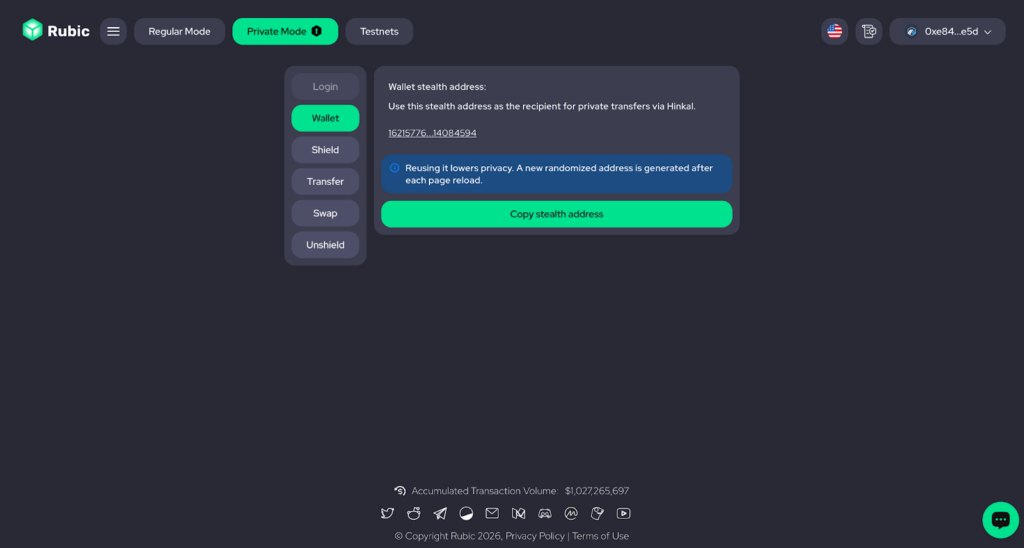
- To shield, unshield, or transfer, simply choose the token you want and follow the on-screen hints.
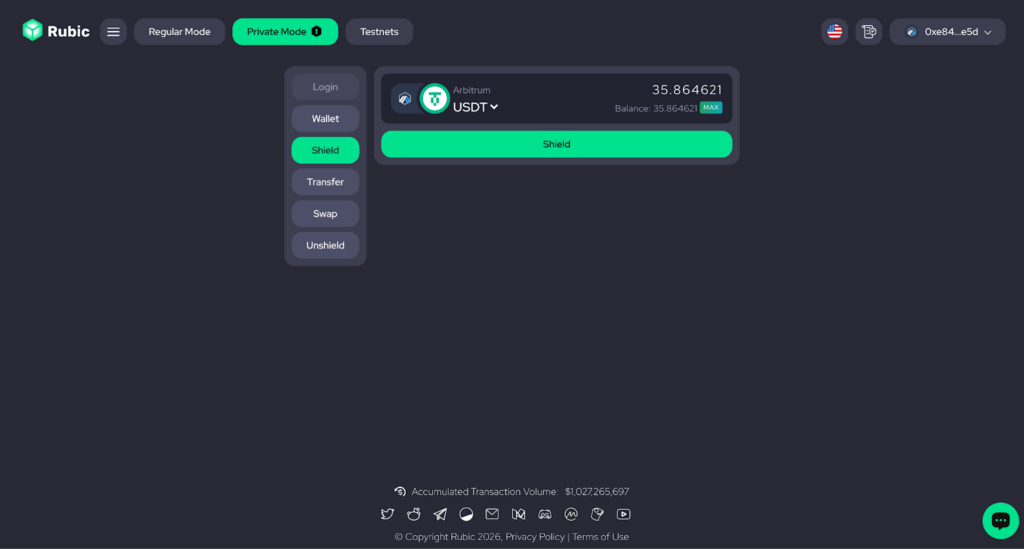
- To swap, first shield the tokens you need to exchange and some native tokens to cover network fees.
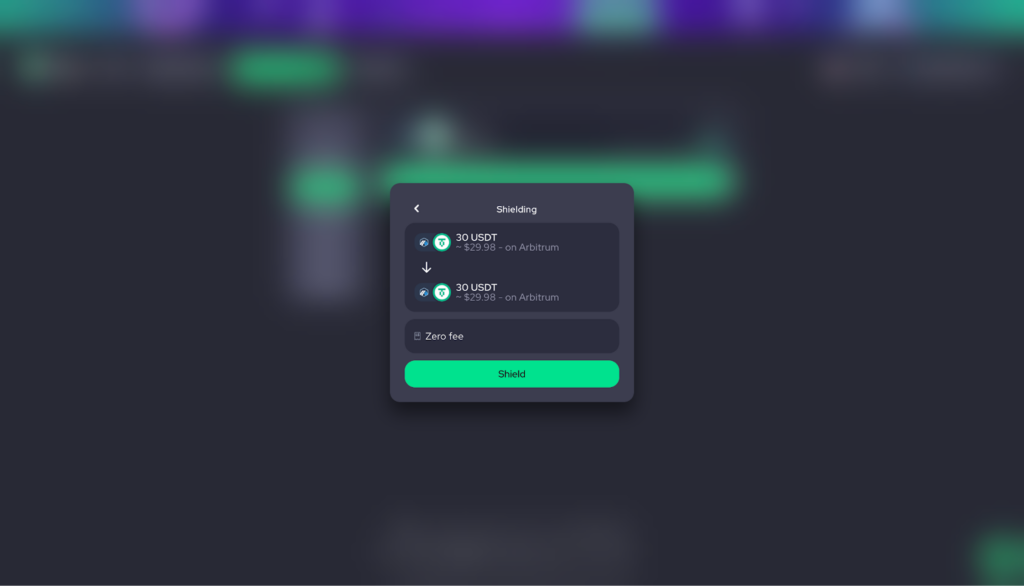
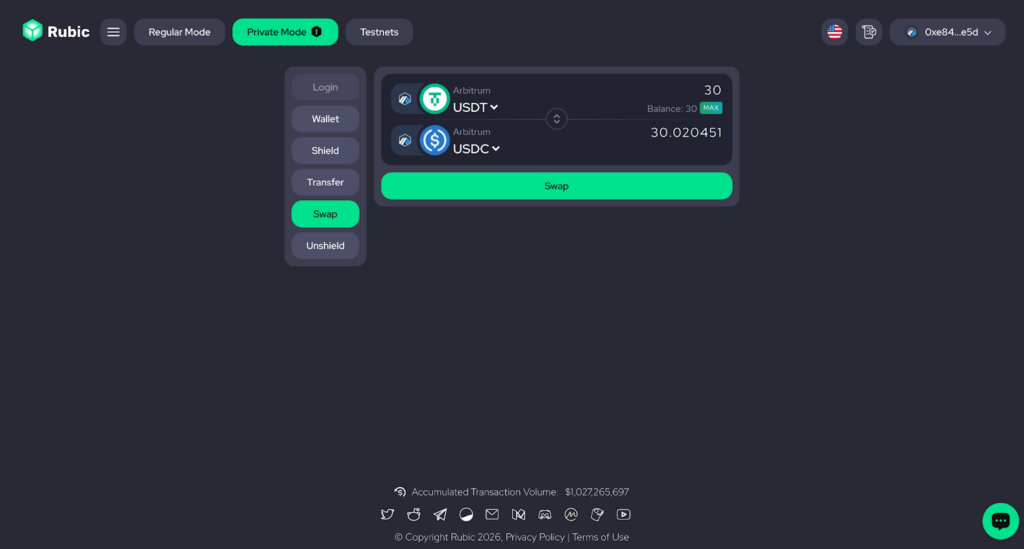
- Select the source chain, target chain, and tokens.
- Enter the amount you want to swap.
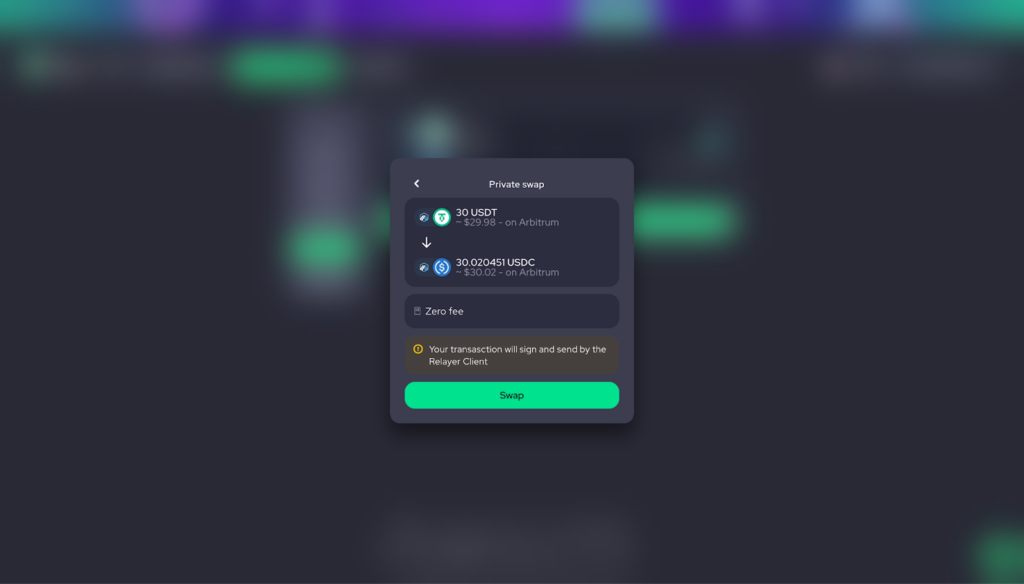
- Confirm the swap.
Railgun: Shield, Unshield, Transfer
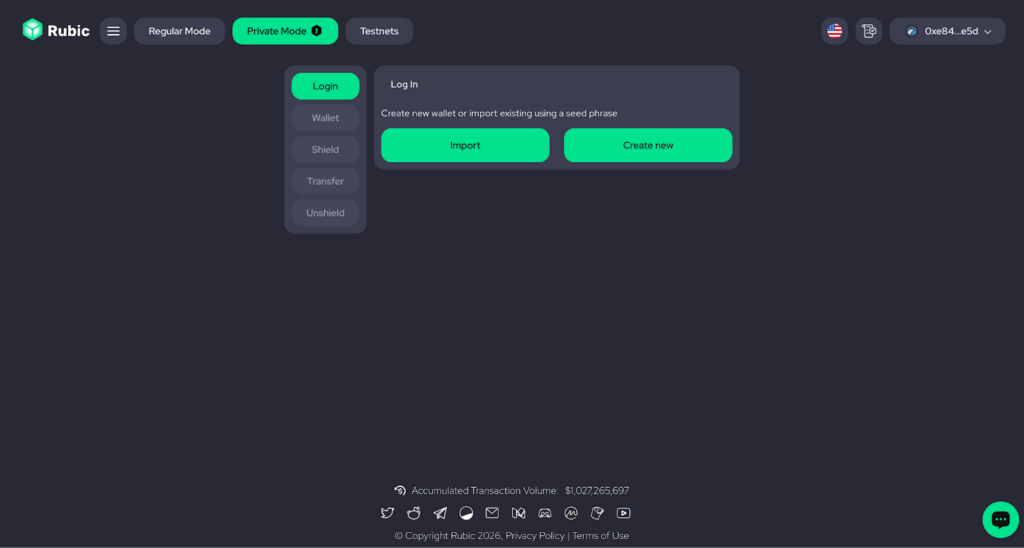
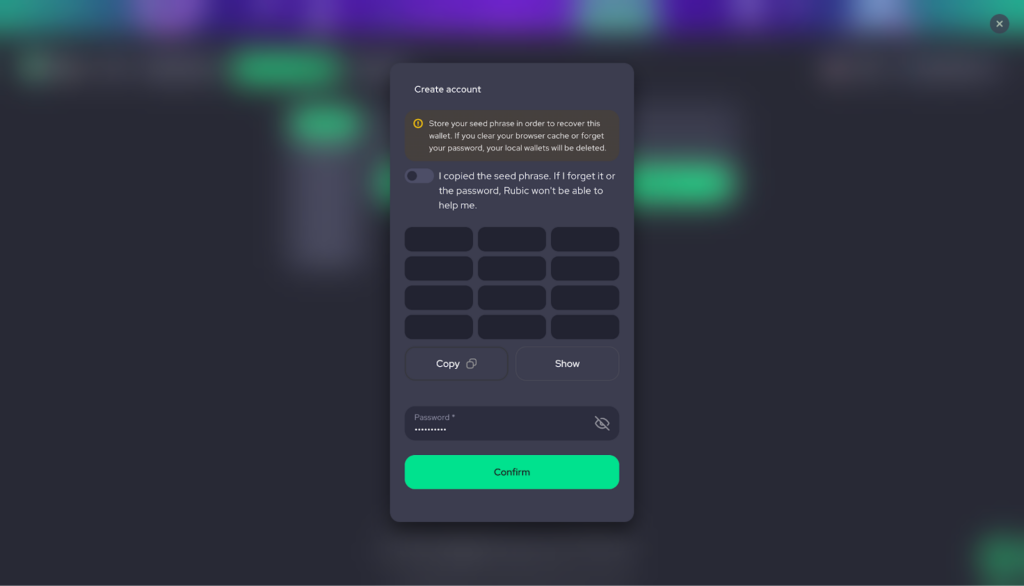
- Create a wallet or log in with your usual EVM wallet seed phrase a previously created one.
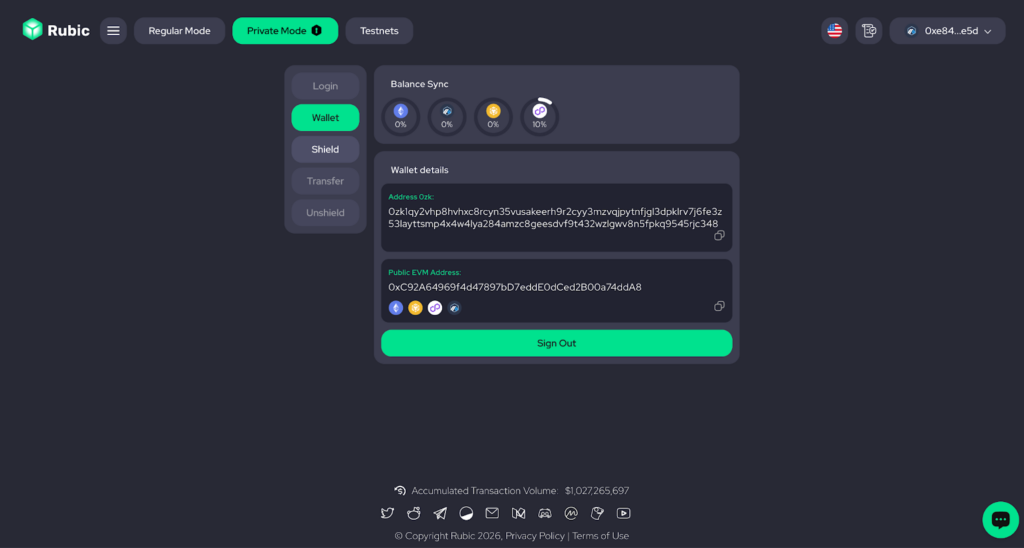
- Now, you can see your wallet information. You can use this wallet as a recipient for private transfers.
- Connect your EVM wallet to shield, unshield, or transfer. Choose the token you want and follow the on-screen hints.
Zama: Shield, Unshield, Transfer
- Connect your EVM wallet and sign a message to access your private balance.
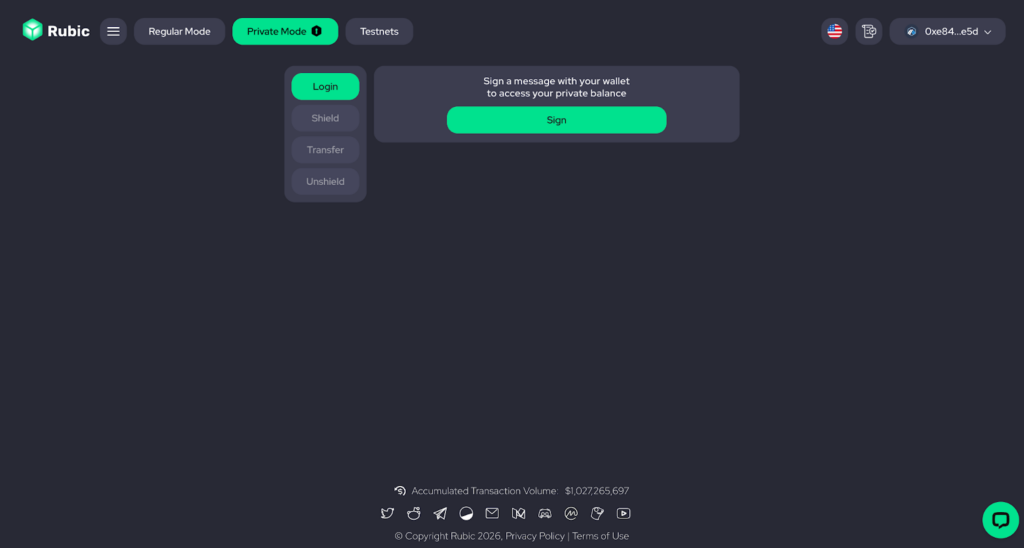
- You’ll then unlock Shielding / Unshielding, Private Transfer, and Private Swap.
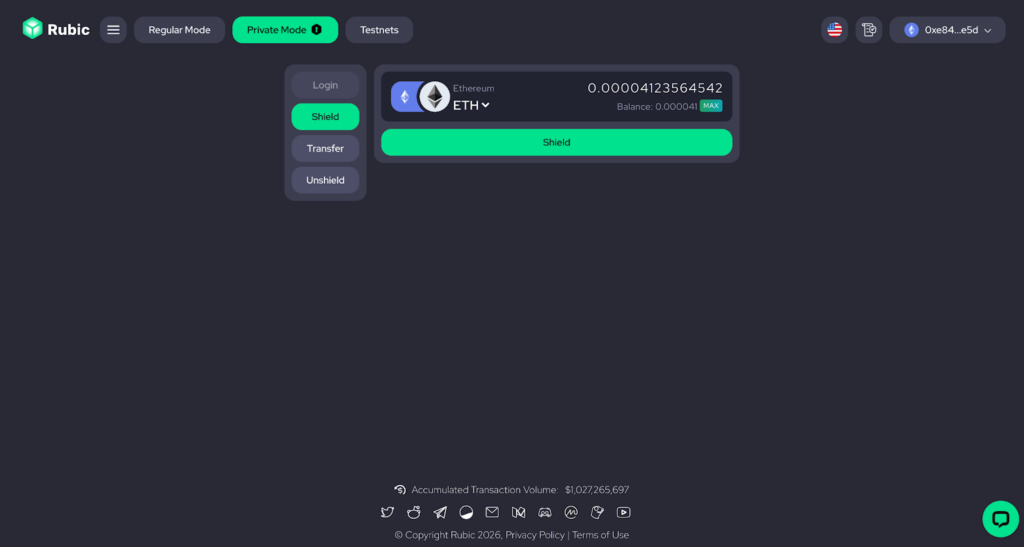
- To shield, unshield, or transfer, simply choose the token you want and follow the on-screen hints.
Privacy Cash: Shield, Unshield, Transfer, On-Chain Swaps
You’ve chosen Privacy Cash, here’s what happens next:
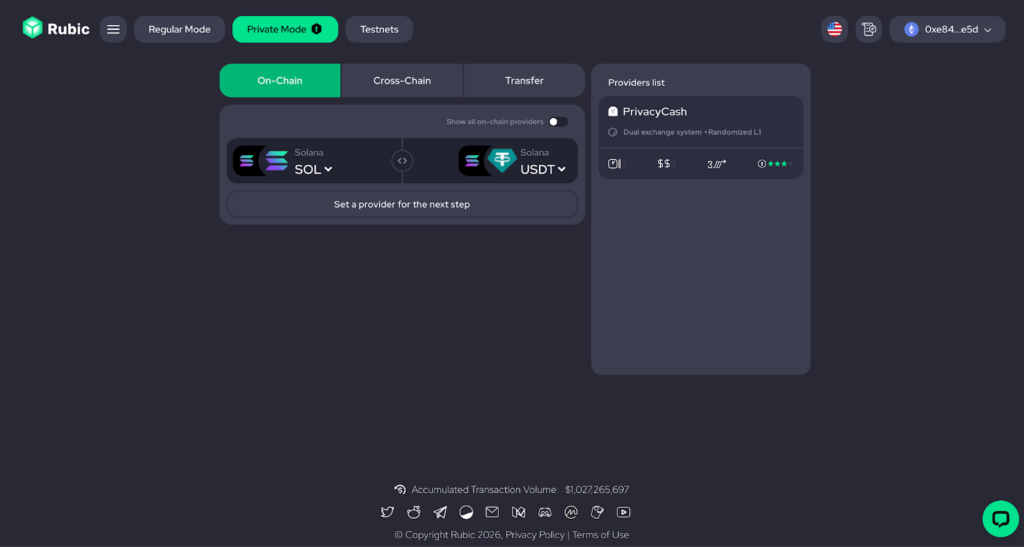
- Connect your Solana Wallet and sign a message to access your private balance.
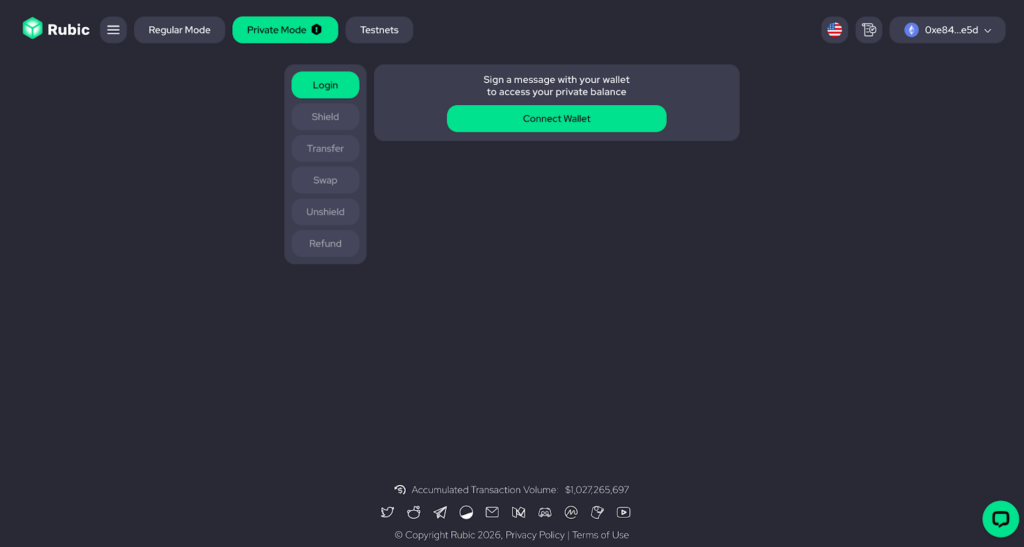
- You’ll then unlock Shielding / Unshielding, Private Transfer, Private Swap and Refund.
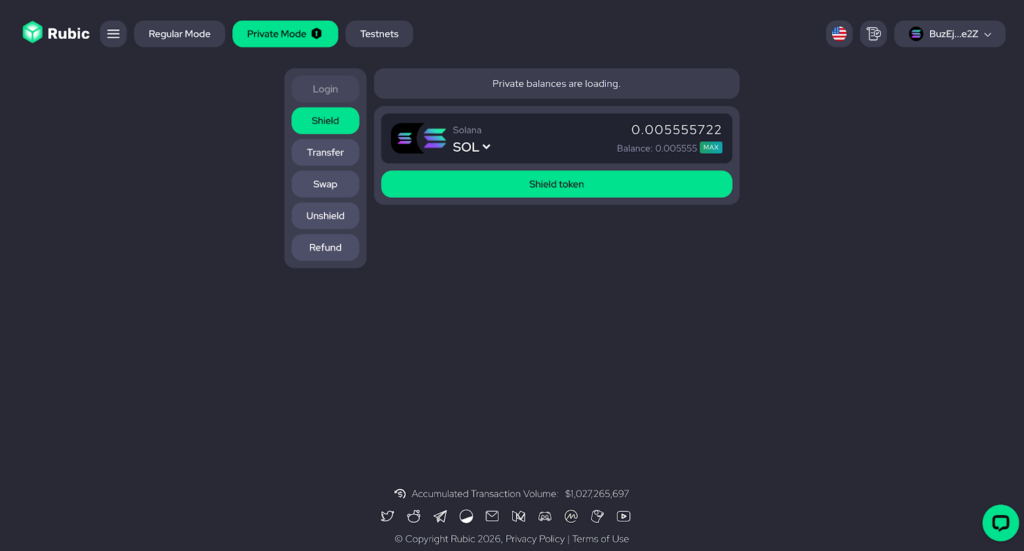
- To shield, unshield, or transfer, simply choose the token you want and follow the on-screen hints.
- Transfer is made from private wallets to a public one.
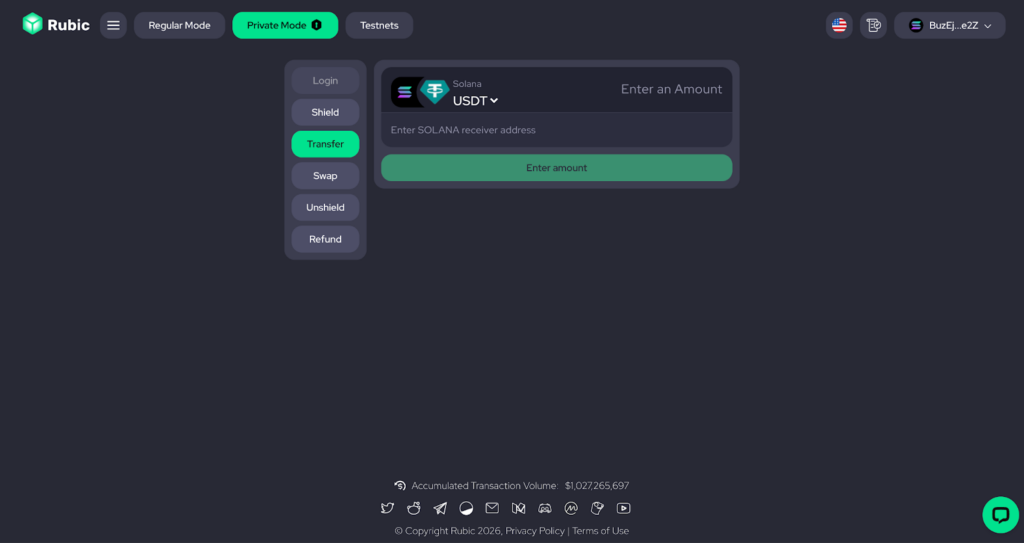
- For shielding, the minimum amount is from $2, for swap the minimum amount is from $10.
- To swap, first shield the tokens you need to exchange.
- Go to the swap form, select the source chain, target chain, and tokens.
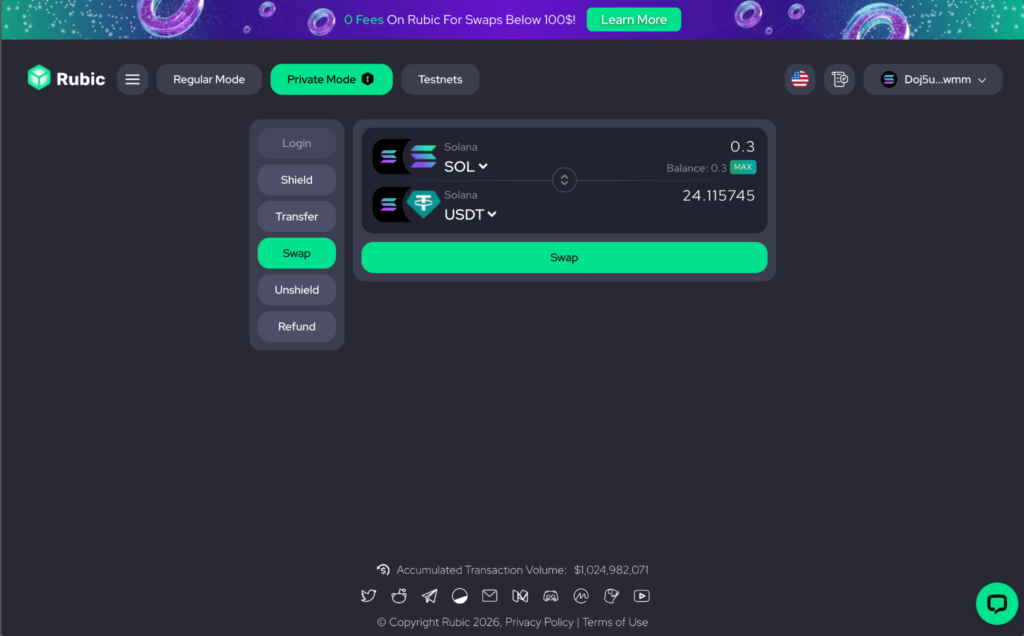
- Enter the amount you want to swap.
- Click Review Order, then confirm the swap.
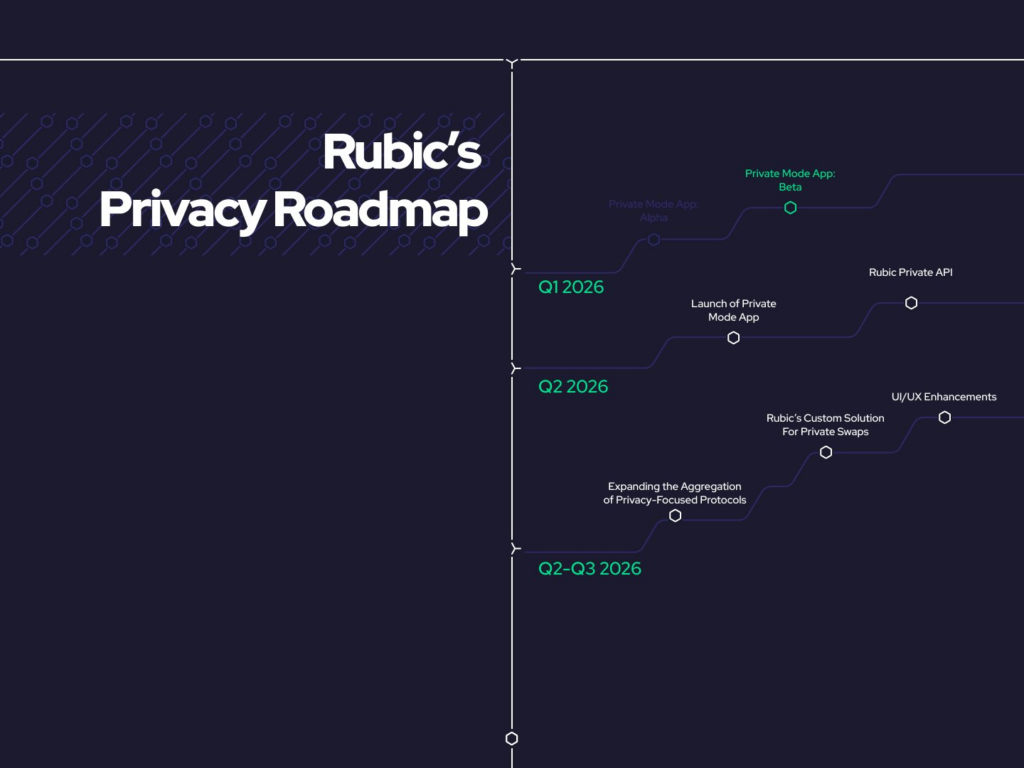
These are just the first steps in building our privacy solution aggregator. To scale our solution, we’ll add the Private Mode into Rubic’s API.
Users can already access Houdini through Rubic’s API, and in the near future, we’ll continue enhancing our privacy aggregator by adding more providers and improving our custom solution.